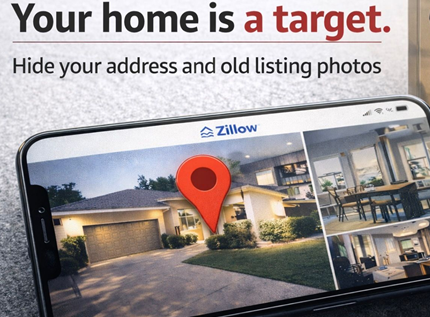
- Anyone can find your home address on a free people search site in seconds. Then Zillow hands them a blueprint of every room, entry point and camera angle.
- Home invasions targeting everyday people are surging. Physical attacks on homeowners nearly doubled last year.
The 10-minute lockdown: Remove your photos from Zillow, Redfin and Realtor. Blur your house on Google Street View.
| 🔒 Take it down in 10 minutes |
| These steps can look a little different depending on your device, app version or browser. If it’s not exact, poke around. The option is there. |
| Zillow: Sign in at zillow.com. Click your profile icon > Your Home. Search your address, claim it, then go to Edit Facts and hide or delete the photos. Hit Save. Redfin: Sign in at redfin.com. Go to Owner Dashboard. Select your home > Edit Photos > Hide listing photos > Save. Realtor: Go to realtor.com/myhome. Claim your home, then select it under My Home > Remove Photos > Yes, Remove All Photos. Google Street View: Open Google Maps on a computer. Search your address, drop into Street View, then click “Report a problem” (bottom right). Position the red box over your home. Under Request blurring, select “My home.” Submit. FYI, once it’s blurred, it’s permanent. |
| Pro tip: Ask your old listing agent to pull photos from the MLS. Once they’re gone from MLS, the feeder sites eventually follow. |
| If you’re not selling, there’s zero reason for the internet to have a virtual tour of your home. Take it down today. |
| I guess you could say Zillow gives everyone an open house. Problem is, you never sent the invitations. |
 Regal Beagle Online