| Storage Almost Full. If you’ve seen that warning, you’re not alone. |
| Nearly half of all phone users hit that wall every single year. And one in 10? They see it every day. Before you delete your favorite memories or hand Apple or Google another $3 a month… |
| Your phone is stuffed with junk you never asked for. |
| Now, let me walk you through five steps to take back your space. |
| 📸 Delete duplicate photos (10-20 GB) |
| Your phone saves multiple copies of every photo you edit. Burst mode photos stack up. Screenshots linger. |
| iPhone: Open Photos > Collections > scroll down to Utilities and tap Duplicates. Your phone already found them for you. Tap Merge, then Merge items. Most people find thousands of duplicates hiding in there. That’s 10-20 GB back, easy. |
| Android: Use Files by Google. Tap the Menu (three lines) > Clean > Duplicate files. Select what you want to delete, then Move to Trash. Done. |
| 🗑️ Clear app caches (5-15 GB) |
| Apps store temporary files that clog your phone. Facebook, Instagram, TikTok can each free 500 MB to 3 GB. |
| iPhone: Delete and reinstall apps you use daily. Your login stays saved, cache is gone. |
| Android: Go to Settings > Apps > [App name] > Storage > Clear cache. |
| 💬 Delete old messages (3-10 GB) |
| Your text messages store years of photos and videos. |
| iPhone: Settings > Apps > Messages > Keep Messages > Change to 1 Year. Also: Settings > General > iPhone Storage > Messages > Review Large Attachments. Delete old videos. |
| Android: Google Messages doesn’t have an auto-delete setting. But if your phone uses the Samsung Messages app, tap the three dots for Settings > More settings > toggle on Delete old messages. |
| 📂 Clear downloads (5-10 GB) |
| iPhone: Files app > Browse > Downloads folder. Delete everything you don’t need. Then Settings > Apps > Safari > scroll down to Clear History and Website Data. |
| Android: Open Files by Google > Menu (three lines) > Clean > Select files. Delete old PDFs and videos. |
| 📱 Offload unused apps (10-20 GB) |
| iPhone: Settings > Apps > App Store > toggle on Offload Unused Apps. Your phone auto-deletes apps you don’t use but keeps the data. |
| Android: Settings > Apps > three dots or filter/sort icon > sort by Last used. Uninstall anything you haven’t opened in months. |
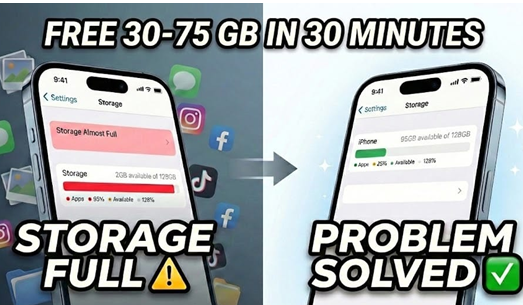
| Total recovered: 30-75 GB in 30 minutes. Your phone will feel brand new. Do this every three months, and you’ll never run out of space. |
| Phew, that was a lot. But give yourself a pat on the back. You did it! |
 Regal Beagle Online